Consumer guide · Car rental
How to fight a charge from Hertz
Damage bills, unwanted extras, return fees, tolls, and fuel charges — start with the charge on your receipt.
Follow the steps yourself for free. Sam isn't open to the public yet — join the waitlist and we'll invite you when a spot opens.
1. Damage bill? Check your protection and the evidence
Hertz says Loss Damage Waiver (LDW) relieves you of financial responsibility for vehicle damage, provided the damage does not result from using the vehicle in violation of the rental terms.
What to do: Compare the bill with the protection you accepted in your rental agreement. Gather pickup and return photos, then ask Hertz for dated damage photos, inspection records, an itemized bill, and the reason it believes you owe the charge. These are evidence requests, not a promise that Hertz will remove the bill.

2. Protection or extras you didn't agree to? Compare the paperwork
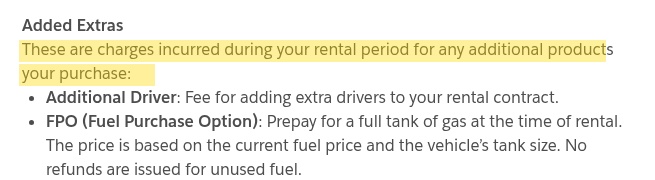
Hertz describes Added Extras as charges for additional products purchased during the rental, including an additional driver, fuel options, and protection products.
What to do: Compare your booking confirmation, signed rental agreement, and final receipt. Identify the exact add-on and amount you dispute. Ask Hertz to show where you accepted it and request removal if it was added without your agreement.
3. Extra rental time or a drop-off fee? Check the return record
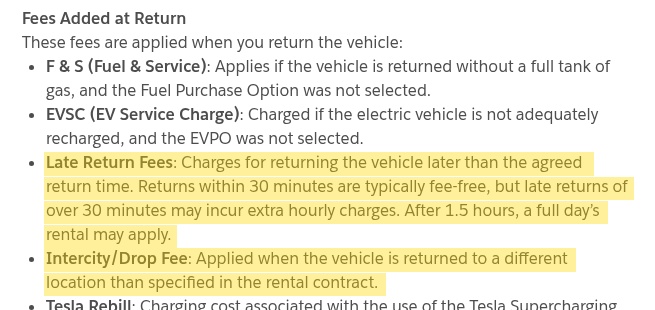
Hertz lists late-return fees for returning after the agreed time, and an Intercity/Drop Fee for returning to a different location than the rental contract specifies. Its receipt page says returns within 30 minutes are typically fee-free; extra hourly charges may apply after that, and a full day's rental may apply after 1.5 hours.
What to do: Compare the charged dates, time, and location with your agreement and return confirmation. If they don't match, send the return evidence and ask Hertz to correct the specific line item. The page's timing language is qualified, so check your own rental terms rather than assuming a universal grace period.
4. Toll charges? Get the separate receipt
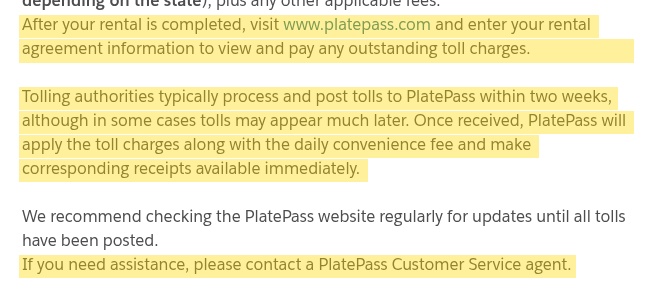
Hertz says you can enter your rental agreement information on PlatePass after the rental to view toll charges. Tolls typically post within two weeks, but may appear much later; the toll charge and daily convenience fee have corresponding receipts. Hertz directs toll questions to PlatePass Customer Service.
What to do: Check the toll dates, vehicle, roads, and usage-day fees against your trip. Keep proof of any toll you paid yourself and ask PlatePass to review a duplicate or mismatched charge.
5. Refueling charge? Match it to your fuel receipt
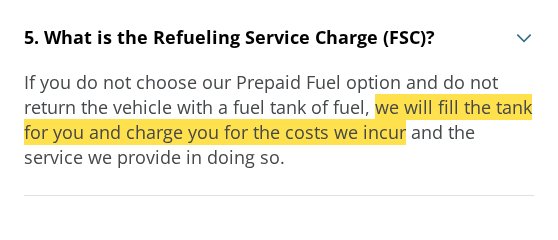
Hertz says if you didn't choose prepaid fuel and didn't return the car with a full tank, it fills the tank and charges for its costs and service.
What to do: If you returned the car full, send your fuel receipt and any photo of the gauge. Ask Hertz to explain the recorded return fuel level and review the charge.
6. EV recharge fee? Check both battery readings
Hertz's receipt page says that without the EV Purchase Option, you need to return the battery within 5% of its pickup level to avoid an EV Service Charge. Its refueling page also says you never have to return an EV with more than 75% charge.
What to do: Compare pickup and return battery photos with the recharge option in your agreement. Ask Hertz which readings and terms it used to calculate the fee. The 75% ceiling alone doesn't establish whether a lower return level qualifies.


7. Ask Hertz to review the exact charge
Hertz provides a Customer Care form to submit a question to its support team.
What to do: State your rental agreement number, the disputed line item and amount, why you disagree, and the correction you want. Keep the receipt, agreement, photos, and previous replies together; ask for a written response and follow up with the same reference. A review request does not guarantee a refund.

Your rental agreement and rental location's terms matter; these steps do not guarantee a refund. Not affiliated with Hertz.