Consumer guide · Ticketing
How to get your money back from Ticketmaster
Follow the steps yourself for free. Sam isn't open to the public yet — join the waitlist and we'll invite you when a spot opens.
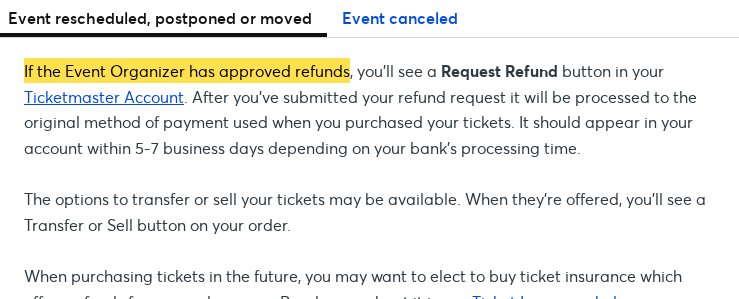
1. Check your order for a Request Refund button
Ticketmaster says refunds are only offered when the event organizer approves them. If approved, a Request Refund button appears on the order in your account, and the money should post in 5–7 business days.
2. Event called off? Watch the 14–21 day clock
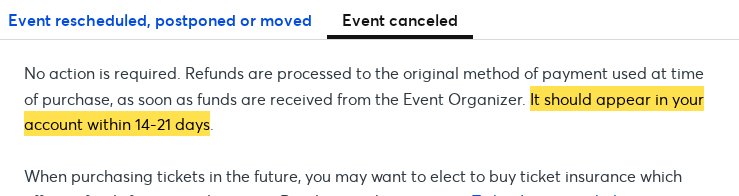
If the event is called off, Ticketmaster says no action is needed — refunds go back to your original payment method and should appear within 14–21 days. If it hasn't posted by then, escalate.
3. Make sure your add-ons came back too
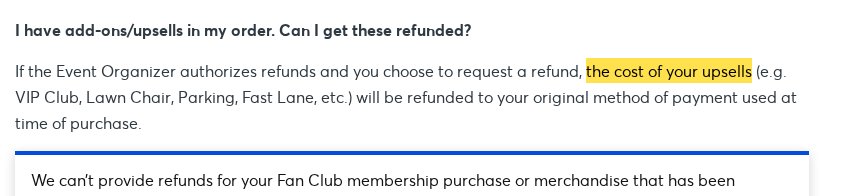
When refunds are authorized, Ticketmaster says add-ons like parking, VIP Club and Fast Lane are refunded too. Compare what posted to your card against your full order and dispute any gap.
Screenshots captured October 16, 2026. Not affiliated with Ticketmaster.